Notification texts go here Contact Us Buy Now!

How to Hide or Remove Navbar in Blogger Website? Header Navbar of a Blogger

ADMIN


Method 1: Using Blogger Template Designer /

Hide or Remove Navbar in Blogger

  1. Login to your Blogger account: Go to Blogger and log in with your Google account.

  2. Go to Template:

    • In the left menu, select the blog for which you want to hide the navbar.
    • Go to the "Theme" or "Template" section.
  3. Access Template Designer:

    • Click on the "Customize" button.
  4. Navigate to Advanced Settings:

    • Look for an option like "Advanced" or "Advanced Settings."
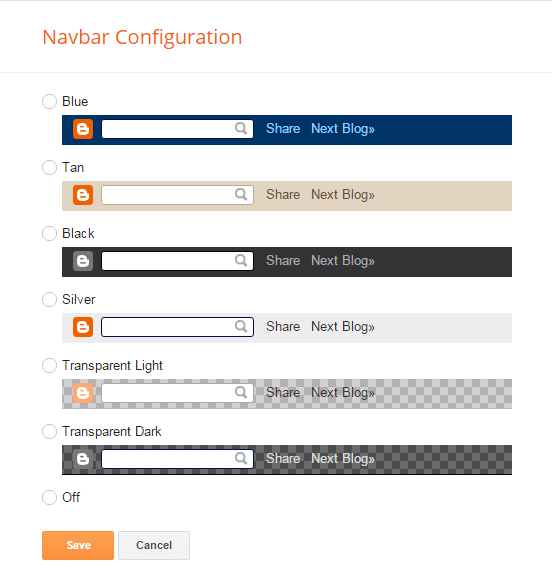
  5. Navbar Settings:

    • Find the settings related to the Navbar.
    • Look for an option to hide or disable the Navbar.
  6. Save Changes:

    • After making the changes, save the template.


Remove Navbar


Method 2: Editing HTML/CSS

  1. Go to Template:

    • In the left menu, select the blog.
    • Go to the "Theme" or "Template" section.
  2. Backup your Template:

    • Before making any changes, it's a good idea to back up your current template.
    • Click on "Backup/Restore" and download the full template.
  3. Edit HTML/CSS:

    • Find and click on "Edit HTML" or "Edit Theme HTML."
  4. Search for Navbar Code:

    • Look for the code that represents the Navbar. It might look like <div id='navbar'>...</div> or similar.
  5. Remove or Hide the Navbar Code:

    • Either delete the code related to the Navbar or hide it using CSS. For example:css
  6. /* Hide Navigation Bar By 75 */
    #navbar-iframe  {
    display : none;
    height : 0;
    visibility : hidden;
    }
  7. Save Changes:

    • Save the template after making changes.


You’re done!


Additional Notes:

  • Depending on your template, the specific steps may vary.
  • Make sure to preview your blog after making changes to ensure that the Navbar is hidden as expected.
  • Always backup your template before making significant changes.

Keep in mind that modifying the HTML/CSS of your template requires some understanding of coding. If you're not comfortable with this, consider seeking help from someone with web development experience. Also, note that some Blogger templates may have limitations on certain customizations.

إرسال تعليق

Cookie Consent
We serve cookies on this site to analyze traffic, remember your preferences, and optimize your experience.
Oops!
It seems there is something wrong with your internet connection. Please connect to the internet and start browsing again.
AdBlock Detected!
We have detected that you are using adblocking plugin in your browser.
The revenue we earn by the advertisements is used to manage this website, we request you to whitelist our website in your adblocking plugin.
Site is Blocked
Sorry! This site is not available in your country.